The IRS has officially released the final 2026 Form W-4, Employee’s Withholding Certificate, which has expanded from four pages to five as a result of changes enacted under the One Big Beautiful Bill Act (OBBBA). The updated form and accompanying instructions align federal income tax withholding with the new deductions and credits introduced by the Act. These changes significantly reshape Form W-4, making it essential for employers and payroll professionals to understand how withholding is calculated and applied.
The finalized form expands the Deductions Worksheet, clarifies exemption procedures, and adjusts credit values to reflect updates to the Child Tax Credit. The 2026 Form W-4 also incorporates additional tax law changes, including deductions for tips, overtime compensation, and passenger vehicle loan interest, as well as substantially increased state and local tax (SALT) deduction caps. Employers must begin using the updated 2026 Form W-4 and follow the procedures outlined in IRS Publication 15-T to ensure accurate payroll withholding for the 2026 tax year
Areas Covered:
- Explanation of all 2026 Form W-4 updates and how they affect employer withholding.
- A complete walkthrough of the 2026 Form W-4, highlighting the new layout and key changes from prior years
- Updated rules for calculating federal income tax withholding under 2026 guidelines.
- Step-by-step examples for multiple jobs, dependents, credits, deductions, and adjustments.
- Employer responsibilities for collecting, verifying, processing, and retaining W-4 forms
- Guidance on handling special situations, including nonresident aliens, exempt employees, and incorrect or incomplete forms
- Understanding how the 2026 Child Tax Credit works.
- Best practices for managing W-4 compliance in both manual and automated payroll systems
- Common mistakes employers make and how to avoid them in 2026.
Why You Should Attend
- Ensure full compliance with IRS changes before the 2026 tax year begins
- Prevent costly payroll errors caused by misunderstanding new W-4 requirements
- Learn how to accurately apply updated withholding calculations for all employee situations
- Save time and reduce administrative stress by understanding the new rules in advance
- Improve your organization’s payroll accuracy, efficiency, and audit readiness
- Get expert answers to your compliance questions during the live session
Credits and Other information:
- Recommended CPE credit – 2.0
- Recommended field of study – Taxes
- Session Prerequisites and preparation: None
- Session learning level: Basic
- Location: Virtual/Online
- Delivery method: Group Internet Based
- NASBA Sponsor: 146439
- IRS Course ID: PJGWS
- Attendance Requirement: Yes
- Session Duration: 100 Minutes
- Case Studies and Live Q&A session with speaker
- PowerPoint presentation for reference
Who Will Benefit:
- Certified Public Accountants (CPAs)
- Enrolled Agents (EAs)
- Tax Professionals
- Payroll Executives/ Managers/ Administrators/ Professionals/ Practitioners/ Entry Level Personnel
- Human Resources Executives/ Managers/Administrators
- Accounting Personnel
- Business Owners/ Executive Officers/ Operations and Departmental Managers
- Lawmakers
- Attorneys/ Legal Professionals
- Any individual or entity that must deal with the complexities and requirements of Payroll compliance issues for Year-End closing and preparing for the upcoming year.
Coder Archives is registered with the National Association of State Boards of Accountancy (NASBA) as a sponsor of continuing professional education on the National Registry of CPE Sponsors. State boards of accountancy have final authority on the acceptance of individual courses for CPE credit. Complaints regarding registered sponsors may be submitted to the National Registry of CPE Sponsors through its website: www.nasbaregistry.org.
Speaker Profile:
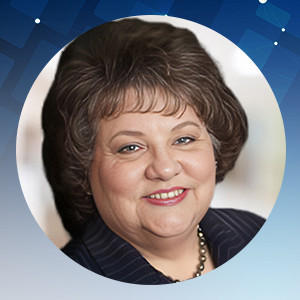
Vicki M. Lambert, CPP, is President and Academic Director of The Payroll Advisor™, a firm specializing in payroll education and training. The company’s website www.thepayrolladvisor.com offers a payroll news service which keeps payroll professionals up-to-date on the latest rules and regulations.
With over 35 years of hands-on experience in all facets of payroll functions as well as over 20 years as a trainer and author, Ms. Lambert has become the most sought-after and respected voice in the practice and management of payroll issues. She has conducted open market training seminars on payroll issues across the United States that have been attended by executives and professionals from some of the most prestigious firms in business today.
A pioneer in electronic and online education, Ms. Lambert produces and presents payroll related audio seminars, webinars and webcasts for clients, APA chapters and business groups throughout the country. Ms. Lambert is an adjunct faculty member at Brandman University in Southern California and is the creator of and instructor for their Practical Payroll Online program, which is approved for recertification hours by the APA. She is also the instructor for the American Payroll Association’s “PayTrain” online program also offered by Brandman University.
We are approved to provide CPE/CE credits to Tax Professionals
We reports the educational credits to the respective licensing/regulatory bodies in 5 business days.
The credentials to log into your account is your EMAIL ADDRESS & PASSWORD used during account creation.
- If you’ve forgotten your password, please go to the login page and click on the ‘Forgot Password.’ Then enter your registered email id to receive the password reset email. Click on the link given in the email to enter your new password.
- If the face any challenge, please reach out to us via email support@pro2learn.com or contact our support team through live chat support. Our support line is 1-937-865-8027.Our support team is available Monday to Friday from 09:00 AM – 06:00 PM EST/EDT
When you register for any of our webinars/product, you receive will the instruction 24 hours prior to the conference. Also, the instructions are avilable in your account under ‘My Webinars’ section.
You can cancel your registration to by email at support@pro2learn.com. If you cancel your registration for the paid webinar, the amount shall be credited back in your payment method within 7 business days.
The conference materials are available 4 hours prior to the webinar. You can download it from the webinar page or by logging to your account.
Our seamlessly integrated with ZOOM, WebX and, Goto for delivering continuing education webinars. The system requirements are :
- An internet connection – broadband wired or wireless
- Speakers and a microphone – built-in, USB plug-in, or wireless Bluetooth
Our package courses are the bundles of various continuing education courses which have been specially designed to meet your continuing education requirements for a particular Qualification.
- The web download is the recording of the webinar. You will receive a link to download and save the webinar on your computer and watch it anytime and multiple times.
- The transcript is the detailed written material presented during the webinar.
On demand session is when we conduct the webinar as per your available dates after the live training. You will get access to the training for 24 hours.
To access a course that you have already purchased, all you must have to create/log in to your account. Click on the "Log In" button in the top right of the screen. Once you are logged in, you will have immediate access to all your purchased CPE courses, packages and other self-service or you can write on support@pro2learn.com.
We will email your certificate within 3 working days of the end of the webinar, or you can login your account at www.pro2learn.com. If you don’t receive the email within 3 working days of the end of the webinar, check your spam/junk folder. If it’s not there, we recommend that you send us an email at support@pro2learn.com or connect over the online chatroom.